
- Cable we install
- Cat6 data cable with RJ45 wall outlets
- Where
- Homes, with cable hidden in the roof, walls and sub-floor
- Testing
- Every point tested and labelled before handover
- Who does it
- CabledIN (REC 30925), with a registered cabler on the team
When a data point beats Wi-Fi
Wi-Fi is convenient, but it weakens with every wall it passes through, and brick, concrete and foil insulation weaken it most. A cabled data point, also called an ethernet or network point, gives a device the full speed of your connection with no dropouts. It is worth cabling:
- A home office, so video calls stop freezing.
- The TV and streaming box, so the picture does not buffer at night when everyone is online.
- A games console or gaming PC.
- The far end of the house, a granny flat, studio or shed where the Wi-Fi does not reach.
- Security cameras and recorders, which work best on cable.
- A ceiling Wi-Fi access point, which gives strong wireless coverage to that end of the home.
Since our job records began in March 2026, CabledIN has completed more than 35 data and network jobs around greater Geelong, most often in Highton and Lara. More than 20 of them involved new data points, and more than 20 involved Cat6 cable.
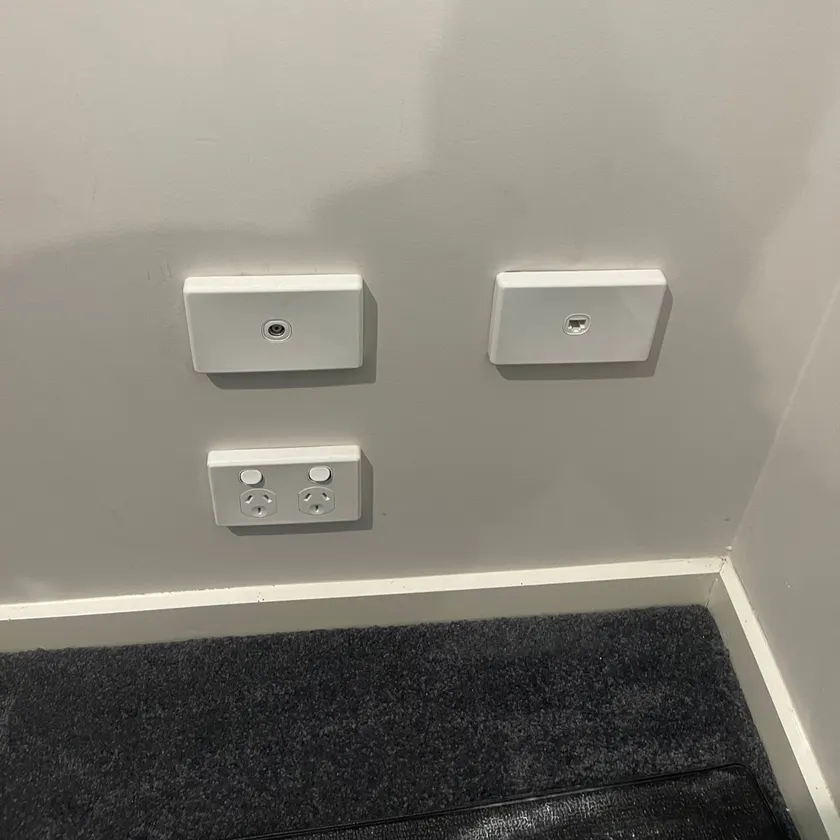
Common data cabling jobs we do
- New data points in bedrooms, studies and living rooms, each cabled back to the modem.
- A data point so the modem can move. If the modem sits in the garage or a back bedroom, a cable to a central spot lets you put the Wi-Fi where the family uses it.
- Cabling for Wi-Fi access points in ceilings and outdoor areas.
- Data behind a wall-mounted TV, often done with TV wall mounting so the power and cables are hidden together.
- Cabling for cameras as part of a CCTV installation.
- Starlink installs, with the dish cable run inside to the router and data points from there.
- Home office cabling: a wired point at the desk and a tidy spot for the modem and network gear.
- Phone points added or moved, and old phone points replaced with data points.
- Fault finding on points that have stopped working or run slowly.
Talk to a licensed Geelong electrician (REC 30925).
Data points and phone points to each room
Put data points where fixed devices live:
| Room | What a data point is for |
|---|---|
| Living room | The main TV, streaming box and games console |
| Study or home office | The computer, a printer, and video calls that do not drop out |
| Bedrooms | A second TV, a gaming PC or a desk |
| Hallway ceiling | A Wi-Fi access point, which spreads strong wireless across that end of the house |
| Where the internet comes in | The modem and a small network switch, with a power point beside them |
Wall plates
Each data point is an RJ45 socket on a flush wall plate that matches your power points and switches. A plate can carry more than one socket, so a TV wall can have two data points on one plate. Where a device needs power, we fit a power point beside the data point.
Phone points
Many homes still have old phone points in the walls. Old phone cable is not made for network speeds, so where you want a data point in the same spot, we run new Cat6 cable and fit a data socket in its place. If you still use a home phone, we can add or move a phone point. For the NBN, our part is the conduit only: we install the conduit so the NBN provider can do their part.
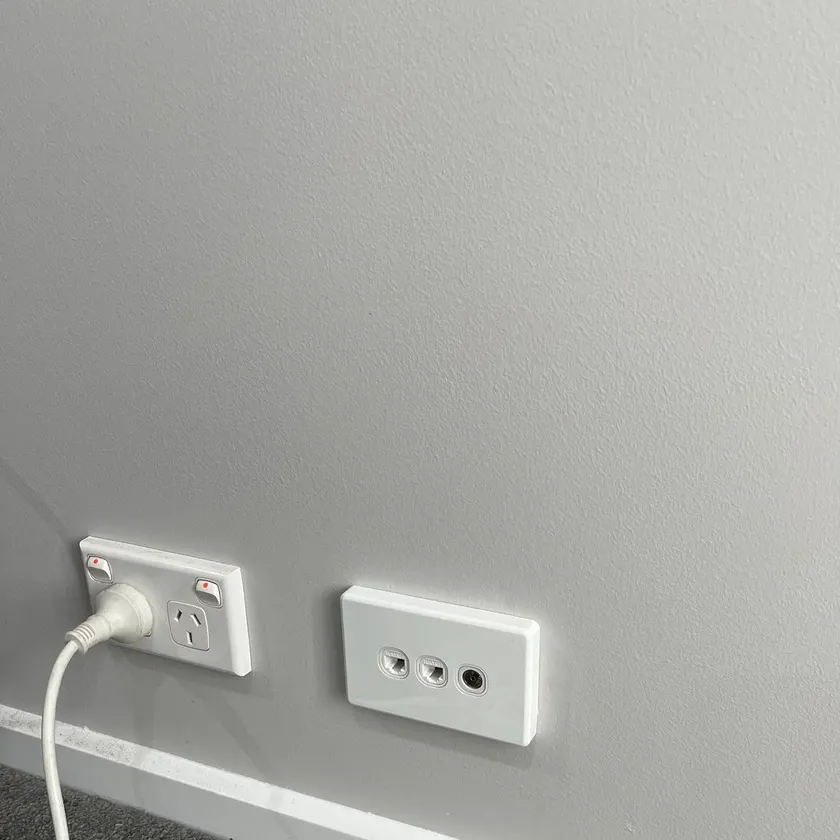
Where the cable runs in an existing home
In a finished home we hide cable in the spaces that are already there, so walls are not opened up:
- The roof space. Cable runs across the ceiling and drops down inside the wall to the outlet. Single-storey homes with a roof space are the simplest to cable.
- The sub-floor. Homes on raised timber floors can be cabled from underneath, coming up inside the wall.
- Wall cavities. Plasterboard walls on timber or steel frames have a cavity the cable can drop through to the outlet.
- Between floors. Two-storey homes take more planning. We look for a path that lines up between the floors, such as stacked cupboards, before anything else.
- Surface conduit. Solid brick internal walls, or a slab home with a flat roof, sometimes leave no hidden path. Then a short length of neat conduit is the only way, and we show you the route before we start.
If walls or ceilings are already open for other building work, that is the easiest time to add data points. If you are building, decide where the modem, TVs and desks will go and cable to those spots. See house wiring and rewiring if the power wiring is being redone at the same time.
Who can install data cabling in a home?
Data cabling that connects to the telecommunications network must be installed by a registered cabler, or under a registered cabler's direct supervision at all times. That is the rule ACMA, the Australian Communications and Media Authority, applies under the Telecommunications Act.
- A registered cabler. ACMA says a registered cabler must perform telecommunications and data communications cabling, and lists data cabling for computers that connect to the telecommunications network among a registered cabler's services.
- What home owners can do. ACMA's cabling declaration lets end users do some simple, low-risk connection tasks, provided no part of the connected cabling is concealed in a building cavity. Cable run inside a wall, ceiling or floor is work for a registered cabler.
- Kept apart from power. ACMA says that under the Wiring Rules, telecommunications cabling must be separated from electrical cabling.
- A written statement. After the job, ACMA requires the cabler to give the customer a written statement certifying that the work complies with the Wiring Rules.
Not sure what you need? Tell us what is happening and we will talk it through.
Cat6 cable, outlets and where it all meets
We install Cat6 cable as standard. Cat6 is short for Category 6, an industry standard for network cable made of twisted pairs of wires. When the standard was published, trade reports noted it gives double the bandwidth, or data-carrying room, of the older Cat5e, and that it works with Cat5e equipment. It carries far more data than most home internet plans deliver, so it will not be the slow point in your network for many years. Each run is a single unbroken cable from a wall outlet back to a central point, usually beside the modem. Data cable is kept apart from the power wiring along the way, as ACMA's Wiring Rules require.
At the wall you get a flush RJ45 outlet that matches your power points and switches. At the central end, a house with a handful of points finishes on a small outlet plate. A home with many points is better finished on a patch panel in a small cabinet, where the modem, network switch and camera recorder can sit together. Every outlet is labelled so you know which point goes where.
How a data cabling job works
- Plan. We agree where each outlet goes, where the modem and network gear will sit, and the path the cable will take.
- Run the cable. Each run is pulled through the roof, floor or wall cavity and fixed clear of the power wiring.
- Terminate. The cable is fitted to an RJ45 outlet at the wall and at the central point.
- Test. Every point is tested end to end so we know all the wires are connected and in the right order.
- Label and hand over. Outlets are labelled, we show you what plugs in where, and we clean up.
If the network gear needs a new power point, we install it on the same visit. That part is electrical installation work, so you receive a Certificate of Electrical Safety for it.
Home office cabling
Video calls drop out and uploads crawl when the study is at the far end of the house from the modem. A Cat6 point at the desk gives you a steady connection instead. We run the cable to the study or home office, add points for a printer or a second computer if you need them, and bring the cables together at a labelled patch panel or a neat wall plate so the next change is quick. If you are turning a spare room or a garage into an office, it is the right time to add data and power points together.
Starlink installation and cabling
We install Starlink in homes across greater Geelong: the dish mounted where it can see the sky, and its cable run neatly inside to the router.
- Choosing the spot. Starlink needs a clear view of the sky, and the Starlink app has a tool that checks a spot for obstructions such as trees and buildings. We agree the spot with you before anything is fixed.
- Mounting the dish on the roof, a wall or a pole, fixed to something solid.
- The cable run. The Starlink cable goes through the roof space and down inside the wall, or in neat conduit outside, to where the router will sit.
- Power for the router. If there is no power point where the router needs to go, we install one.
- Data points from where the router sits to a TV, a desk or a Wi-Fi access point, run in Cat6 like any other data point.
Call 1300 025 555 and tell us where you would like the dish and the router to go.
Why use CabledIN for data and network cabling in Geelong
- One team for the data, the power and the fittings, so nothing is left for a second trade
- CabledIN Electrical Solutions: licensed Victorian Registered Electrical Contractor, REC 30925, family owned and based in North Geelong
- More than 20 years in the trade, open 24 hours, 7 days
- Lifetime workmanship warranty
- 2,000+ five-star Google reviews
Call 1300 025 555 to book a visit.
Recent data cabling jobs around Geelong
Data points, network cabinets and cabling from homes in the region.
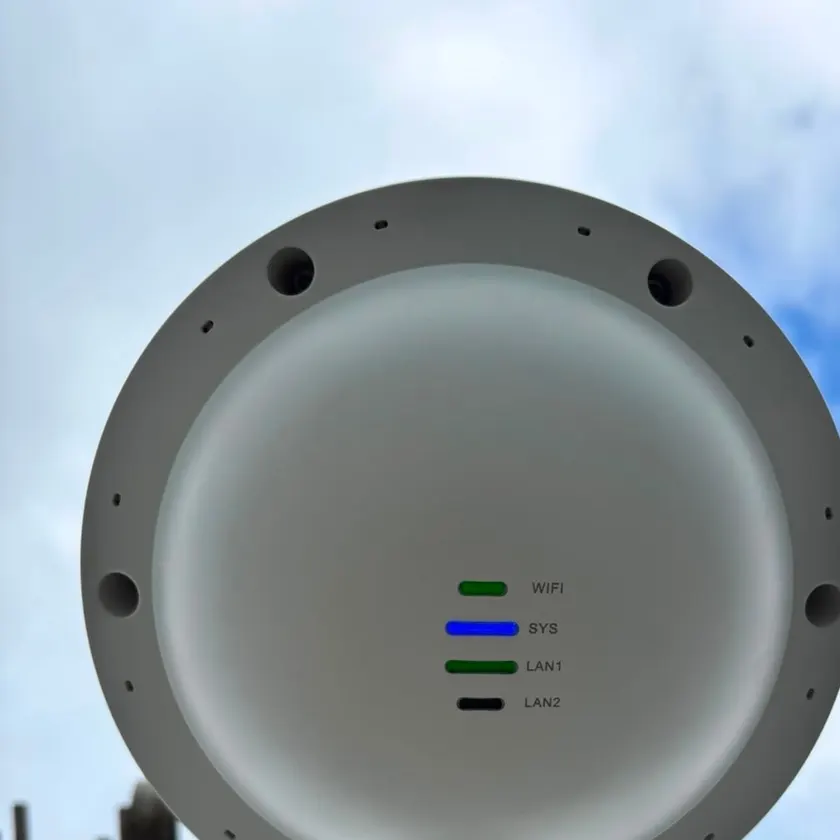
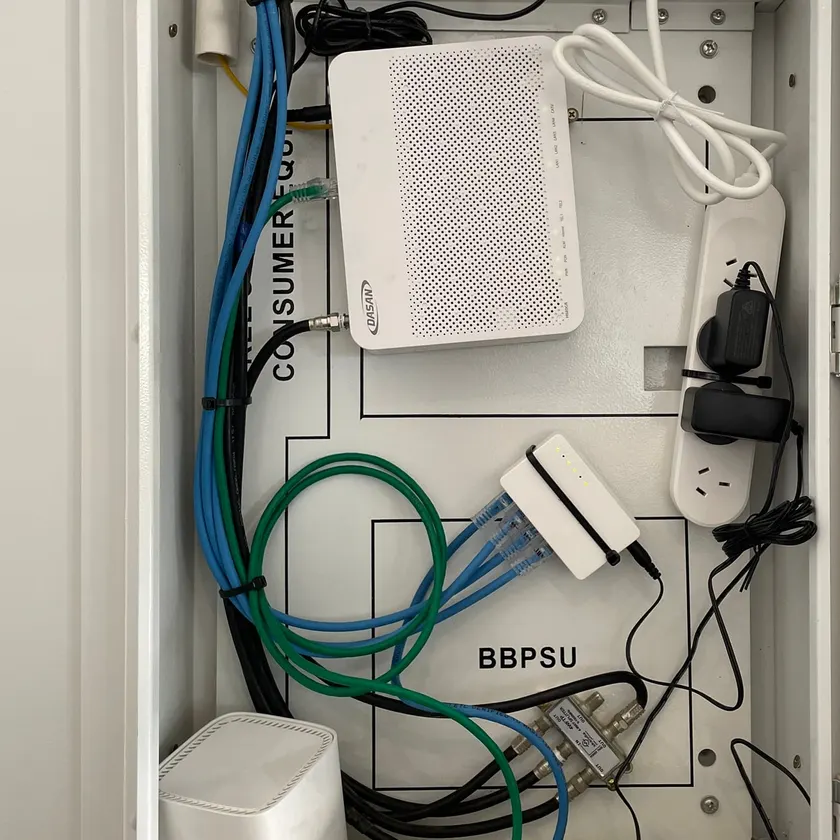
Frequently asked questions
Is a data point faster than Wi-Fi?
A cabled point gives a device the full speed of your connection without the drop-off that walls and distance cause on Wi-Fi. It is also steadier, which matters most for video calls, streaming and gaming.
What is the difference between Cat5e and Cat6?
Cat6 is the newer of the two network cable standards. When the Category 6 standard was published, trade reports noted it gives double the bandwidth of Cat5e and works with Cat5e equipment. CabledIN installs Cat6 as standard, because it costs little more to put in than Cat5e and will suit faster internet plans in the future.
Can you run data cable in an existing house without damaging the walls?
In most homes, yes. We use the roof space, sub-floor and wall cavities. Where there is no hidden path, such as a solid brick wall, we will show you the options before any work starts.
Can you add a data point so I can move my modem?
Yes. We run a cable from where your internet connection enters the home to a more central spot, so the modem and its Wi-Fi sit where you actually use them.
Can you fix a data point that has stopped working?
Yes. We test the cable run end to end to find out whether the wall outlet, a connector or the cable itself has failed, then re-terminate or replace the faulty part. A data point that works but runs slowly is tested the same way, because a poor connection at either end is a common cause.
How many data points should I put in a new home?
At a minimum, cable the main TV, the study and anywhere the modem or a Wi-Fi access point might go. It costs far less to add points before the plaster goes on than after.
Do you install cabling for Wi-Fi access points and cameras?
Yes. A ceiling Wi-Fi access point and most security cameras run on the same Cat6 cable as a data point, so they are easy to include in the same job. We run the cable back to the modem or camera recorder, and add a power point where the network gear needs one.
Which areas do you cover for data and network cabling in Geelong?
CabledIN covers homes across greater Geelong, the Bellarine Peninsula, the Surf Coast, Golden Plains and Werribee, from our base in North Geelong. Since our job records began in March 2026, our data jobs have been most often in Highton and Lara, with others in places such as Drysdale, Portarlington, Bannockburn and Geelong West.
What is an ethernet point?
It is another name for a data point: a wall socket for a network cable, wired back to your modem or network switch. Plug a TV, computer or console into it for a wired connection.
Can you turn an old phone point into a data point, or move a phone point?
Usually, yes. Old phone cable is not made for network speeds, so to turn a phone point into a data point we run new Cat6 cable to the same spot and fit a data socket on a matching wall plate. If you still use a home phone, tell us how it connects today and we can add or move a phone point to suit.
Do you do NBN work?
Only the conduit. CabledIN installs the conduit so the NBN provider can do their part, and everything on the NBN side is done by the NBN provider. Inside the home, we run the Cat6 data cabling from the modem to the rooms that need it. ACMA says a registered cabler connects data cabling to the modem only after your telecommunications carrier has connected it.
Do I need a registered cabler for data cabling?
Yes, for cabling inside the walls, ceiling or floor. ACMA says data cabling that connects to the telecommunications network must be done by a registered cabler, or under a registered cabler's direct supervision at all times. Home owners may only do simple, low-risk connection tasks where no part of the cabling is concealed in a building cavity. The cabler gives you a written statement that the work meets the Wiring Rules. At CabledIN, Jason Caimano, one of our directors, is a registered cabler.
Still have a question? Ask the CabledIN team.