
- What we do
- Wall mounting, power and antenna point behind the TV, hidden cables, data points
- Brackets
- Flat and tilting wall brackets for small to very large screens
- Walls
- Plaster on timber or steel frames, brick and rendered walls
- Who does it
- Licensed electricians, REC 30925
What our TV wall mounting & installation service covers
Our job records show more than 30 completed TV wall mounting jobs, most often in Armstrong Creek, Highton and Fyansford, with others from Leopold and Lara to Torquay and Mount Duneed. The work we are asked for most is:
- Wall mounting on a flat or tilting bracket, level and fixed to something solid.
- A power point behind the TV, so no lead hangs down the wall.
- Hidden cables for the antenna, HDMI and data, run inside the wall cavity.
- A data point at the TV for steadier streaming.
- TV and home theatre installation, such as a soundbar on its own bracket, with its leads hidden the same way.
Because we are electricians, the power, the cabling and the mounting are all done by one team in one visit.
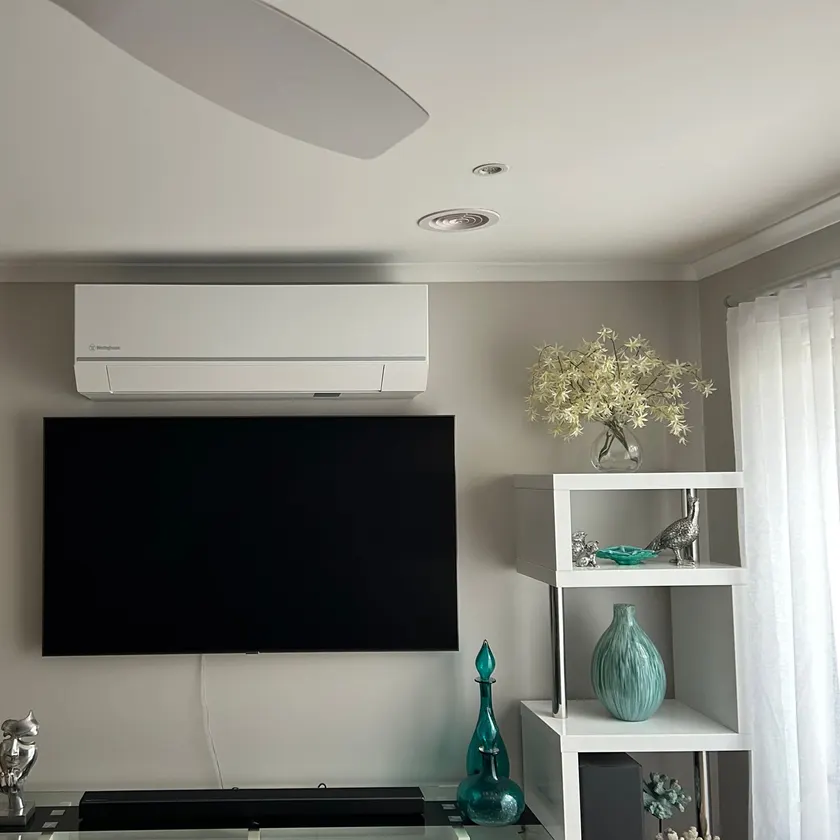
Which bracket, what size, what height?
The right bracket matches your TV, your wall and where you sit. It has to fit the VESA pattern on the back of the TV (VESA is the standard that sets the spacing of the mounting holes), be made for the TV's size, and be fixed into something that can hold the TV's weight. Samsung's own mounting advice says the same: a VESA-compliant mount designed for the TV's size, attached to a stud.
| Bracket | What it does | Best for |
|---|---|---|
| Flat (fixed) | Holds the TV close to the wall, like a picture frame | A TV at eye level straight in front of the couch |
| Tilting | Angles the screen down a few degrees | A TV mounted higher, such as in a bedroom or above a low cabinet |
| Full-motion | Swings out and turns on an arm | Corner positions, or a TV watched from the kitchen and the lounge |
- Match the bracket to the TV. The TV's manual gives its VESA hole pattern and its weight, and we check both against the bracket. The TV is fastened with all four VESA screws, of the length the manual allows.
- Match the TV to the wall. On plaster, the bracket goes into the studs behind the plasterboard, and the stud spacing can nudge the TV slightly left or right. On brick, it is anchored into the masonry. A bigger, heavier screen or a full-motion arm puts more load on the fixing, so the fixing matters more.
- Match the screen size to the seat. Samsung's rule of thumb is a viewing distance of the screen size divided by 0.55, so a 60 inch screen suits a seat about 2.8 m away. If you sit closer, a smaller screen is often more comfortable.
- Set the height from the couch. Samsung suggests measuring your eye level from your usual seat or, as a starting point, about 107 cm (42 inches) from the floor to the centre of the screen, with no more than 15 degrees of tilt. Over a cabinet, it suggests about 10 to 15 cm above the furniture.
We carry flat brackets for screens from 32 to 55 inches and tilting brackets for screens from 43 to 90 inches, and we can fit a bracket you have bought: tell us the TV size and the mounting hole pattern when you book. We hold the TV in position and check the height with you before drilling.
Talk to a licensed Geelong electrician (REC 30925).
Samsung The Frame wall mounting
We mount Samsung The Frame, the TV made to hang like a picture. Samsung says its no gap wall mounts, made only for its QLED and Frame TVs, let the TV sit snugly against the wall while leaving enough room to ventilate it, and allow it to be levelled after it is mounted.
With the screen that close to the wall there is no room for a plug or a loop of leads behind it, so the power and the cable path are planned before the mount goes up:
- A recessed power point behind the screen, so the plug sits inside the wall plate.
- Leads inside the wall cavity, so nothing hangs below the frame. On brick, a slim painted cover or a chased channel instead.
- Position checked with you first, so it lines up with the furniture or the artwork around it.
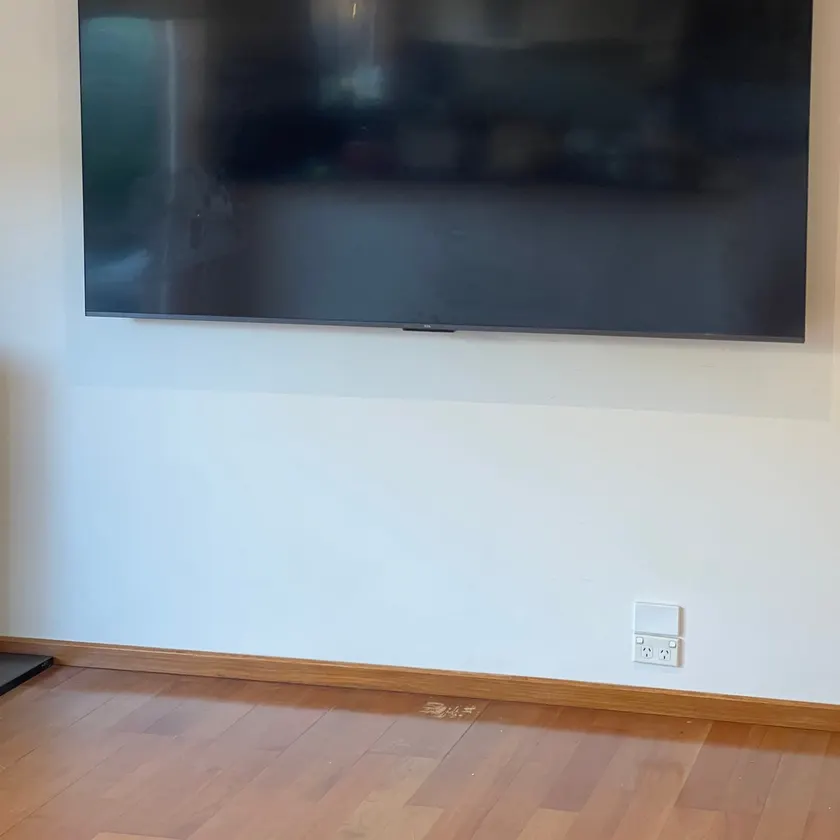
Hiding the cables and getting power behind the TV
The difference between a neat wall-mounted TV and a messy one is what you can see below it. For a clean finish we:
- Fit a recessed power point behind the screen. The plug sits inside the wall plate, so the TV can sit close to the wall. This is a new power point, so it is tested and you receive a Certificate of Electrical Safety for it. Our guide, can an electrician install a power point anywhere?, covers where else one can go.
- Put the antenna outlet behind the screen as well.
- Run HDMI and data leads inside the wall through brush plates or cable entry plates, one behind the TV and one down at the cabinet, so leads can be changed later.
For streaming, a data point behind the TV gives the TV a wired connection that does not depend on Wi-Fi.
On a solid brick wall there is no cavity to hide cables in. The options there are a slim painted cable cover on the surface, or chasing the wall, and we will show you both before starting.
Plaster, brick and above the fireplace: what your wall needs
Plaster walls. The bracket is fixed into the timber or steel studs behind the plasterboard, never into the plaster alone. We find the studs first, and that sometimes shifts the ideal position slightly left or right.
Brick and rendered walls. The bracket is anchored into the brick. This is a very strong fixing, but the cables need a different plan.
Above a fireplace. It can be done, but it is often too high to watch comfortably and the heat can shorten the life of the TV. A tilting bracket helps with the angle. Samsung says its TVs should never exceed 40 degrees Celsius and suggests lighting the fire and checking the temperature before you decide. We will tell you honestly if we think the spot is a poor one.
Not sure what you need? Tell us what is happening and we will talk it through.
What affects the cost of TV wall mounting in Geelong
We price TV mounting on site: we come to you and look at the wall, and you know the price before any work starts. The things that change the price are:
- The wall. Plaster on timber or steel studs is the simplest. Brick and rendered walls take longer and need a different plan for the cables.
- The bracket. Flat, tilting or full-motion, and whether we supply it or you already have one.
- The screen size. Very large screens take longer to mount and level.
- Power behind the TV. Whether a recessed power point is needed, and how the cable reaches it.
- Hidden cables. How many leads run inside the wall, and whether a data point is added for streaming.
- Extras. A soundbar bracket, or a second TV mounted on the same visit.
When you book, tell us the TV size and the bracket you have in mind. Once you are happy with the price, we mount the TV on the wall for you.
How TV wall mounting works on the day
- Measure first. We check the wall, find the studs, and agree the exact height and position with you.
- Power, antenna and data. The recessed power point, the antenna outlet and a data point if you want one are installed behind where the screen will sit.
- Cable path. Brush plates or entry plates are fitted and the leads are run inside the wall.
- Bracket. The bracket is fixed to the studs or brick and checked for level.
- Hang and connect. The TV goes on the bracket and everything is plugged in.
- Tune and test. We tune the channels, check the picture and make sure your other devices work.
- Clean up. Dust and packaging are cleared away before we go.
Soundbars, outdoor TVs and bedrooms
Soundbars. A soundbar can be mounted under the TV on its own bracket, with its power and leads hidden the same way.
Alfresco and outdoor areas. A TV under cover outside needs a weatherproof power point and an antenna or data point run to it. Use a TV made for outdoor use, as an indoor set will not last.
Bedrooms and kids' rooms. A wall mount keeps the TV off the furniture and out of reach, which reduces the risk of it being pulled over.
CabledIN is a North Geelong Registered Electrical Contractor (REC 30925) with more than 20 years' experience, 2,000+ five-star Google reviews and a lifetime workmanship warranty. Call 1300 025 555 to book. If you are fitting out a media room, see smart home and automation and dimmable downlights too.
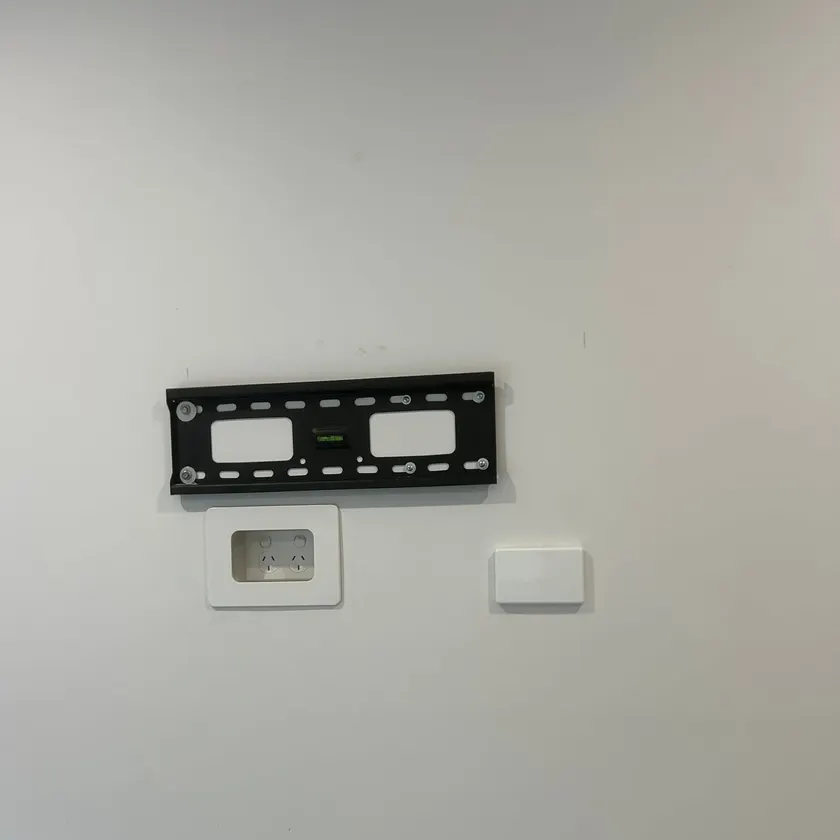
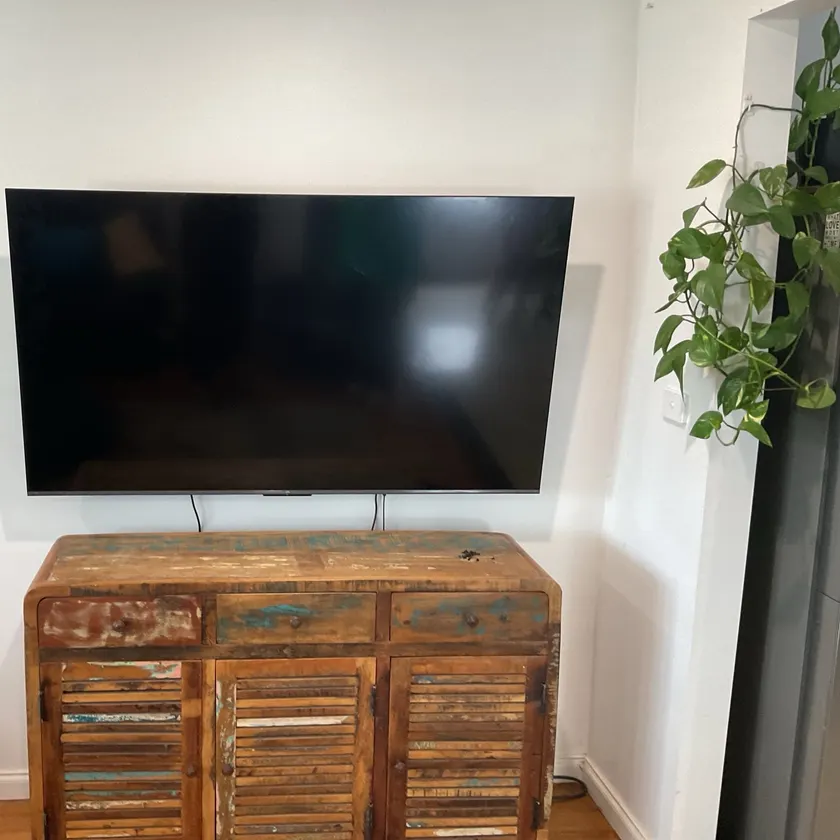
Recent TV wall mounting jobs around Geelong
Wall-mounted TVs, hidden cabling and extra TV points from homes in the region.
What customers say
Complete professionals. Jake gave me various options on if i wanted more done. Was not pushy by any means. Very polite and excellent service. Thank you for mounting my 77 inch tv guys.
Peter, Google review
Frequently asked questions
Can you hide the TV cables in the wall?
Yes, on any wall with a cavity. We fit a power point and antenna outlet behind the screen and run the HDMI and data leads inside the wall. On solid brick we use a slim surface cover or chase the wall.
Do I need an electrician for TV wall mounting and installation in Geelong?
Fixing a bracket is not electrical work, but installing a power point behind the TV is, and that must be done by a licensed electrician. Using an electrician means the mount, the power and the cabling are finished in one visit.
What bracket do I need for my TV?
One that matches the VESA hole pattern on the back of your TV and is made for its size and weight; your TV's manual lists both. A flat bracket holds the TV close to the wall, a tilting bracket angles it down for a higher spot, and a full-motion arm swings out for a corner. We carry flat and tilting brackets and can fit your own.
Can you mount a Samsung The Frame TV?
Yes. We wall mount Samsung The Frame. Its no gap wall mount holds the TV close to the wall like a picture, so we fit a recessed power point behind it and run the leads inside the wall before it goes up, and check the position with you first.
Can you mount a TV on a brick wall?
Yes. On a brick or rendered wall the bracket is anchored straight into the masonry, which gives a very strong fixing, even for a large screen. Because there is no cavity, the cables then run in a slim painted cover on the surface or in a channel chased into the wall, and we show you both options before we start.
How high should a TV be mounted?
As a guide, the middle of the screen should sit at about eye level when you are seated. Samsung suggests measuring your eye level from your usual seat or, as a starting point, about 107 cm (42 inches) from the floor to the centre of the screen, with no more than 15 degrees of tilt. In bedrooms a TV often goes higher on a tilting bracket.
Can you mount a TV above a fireplace?
Yes, if the wall and the heat allow it. It is often higher than is comfortable to watch, so a tilting bracket is the usual choice. Samsung says its TVs should never exceed 40 degrees Celsius, so check how hot the wall gets with the fire going. We will tell you if we think another wall is better.
Do you supply the bracket or can I use my own?
Either. We carry flat brackets for screens from 32 to 55 inches and tilting brackets for 43 to 90 inches, and we can fit a bracket you have already bought, provided it matches the VESA hole pattern on your TV, is made for its size and weight, and suits the wall. Tell us the bracket and the TV when you book.
Can you mount a 75 inch or larger TV?
Yes. The tilting brackets we carry suit screens from 43 to 90 inches. A very large screen is fixed into the studs or the brick like any other, and the fixing matters more, so tell us the screen size and weight when you book.
How long does it take to wall mount a TV?
One TV on a plaster wall, with a power point behind it and hidden cables, is usually done in a single visit. Brick walls, very large screens, a soundbar or a second TV take longer. We confirm the time on site before any work starts.
Do you mount TVs in my suburb?
If you are in Greater Geelong, yes. We cover the suburbs from Corio, Norlane and Bell Post Hill in the north to Armstrong Creek in the south, plus the Bellarine Peninsula, the Surf Coast, Golden Plains and Werribee.
Do you install Starlink?
Yes. We mount the Starlink dish where it has a clear view of the sky and run its cable inside to the router. If the router needs a power point, we add one, and we can run a data point to the TV.
Still have a question? Ask the CabledIN team.